
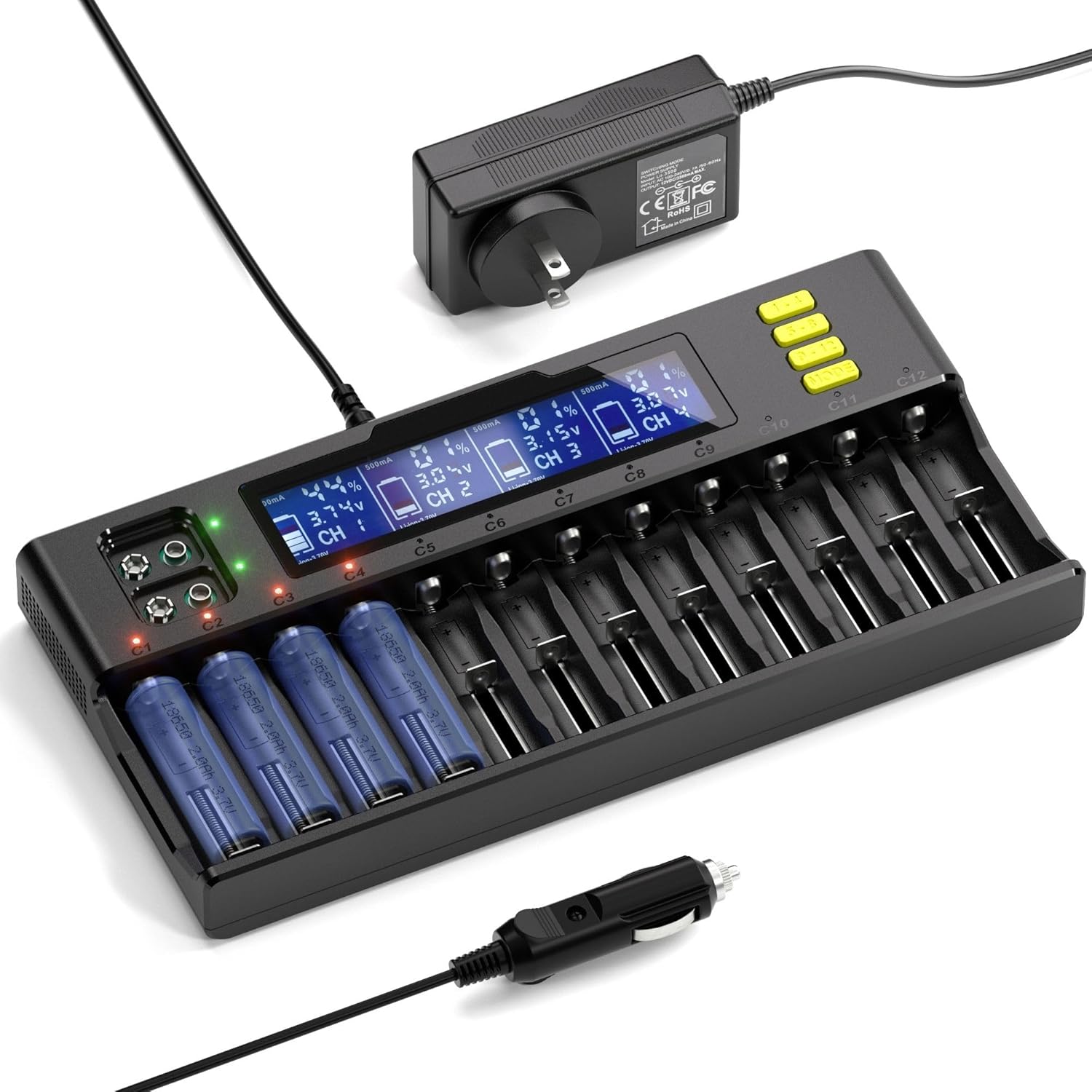
18650 Battery Charger, 12 Slots Batteries Charger with LCD Display, Universal Battery Charger for Li-ion LiFePO4 RCR123 16340 26650 10440 14500 & 9V,NiMH NiCd AAA AA
Product details
| Management number | 212399877 | Release Date | 2026/04/06 | List Price | $14.11 | Model Number | 212399877 | ||
|---|---|---|---|---|---|---|---|---|---|
| Category | |||||||||
Key Features and Instructions:Key MODE (Charging Mode Selection):-This button is used to select the battery type.-Within 8 seconds after powering on, press the MODE button to choose between Li-ion-3.70V, Li-ion-3.80V, LiFePO4-3.20V, or let the charger automatically identify NiMH/NiCd-1.20V batteries.-During charging, you can hold the MODE button to reselect the battery type, but note that previous charging data will not be saved.Slot Inquiry (1-4, 5-8, 9-12):-Use these buttons to check the charging status of battery slots 1-12.-Pressing these buttons will display the charging status and data from the lowest to the highest channel number (CH1 to CH12).-Holding the button for a few seconds will toggle the display between a stable lighting state and the normal lighting state.Display LCD and Indicators:Power-On Display:-Upon connecting to power, the LCD will fully display for about 3 seconds before showing "null".-The channel indicator lights will turn red, then green, and finally off, with the screen returning to "null".-The green indicator for the 9V charging channel remains on in standby mode.Battery Detection:-When a battery is detected, the LCD will show the battery symbol/channel, battery type (Li-ion-3.70V, Li-ion-3.80V, LiFePO4-3.20V, NiMH/NiCd-1.20V), charging current (A), battery voltage (V), and percentage.-If you select a specific charging battery type (e.g., 3.20V/3.80V or default), the battery type will flash 9 times before starting the formal charge after about 9 seconds.-The battery symbol will rise in a circular ladder, indicating charging in progress, with the corresponding channel indicator turning red.Charging Process:-You can press 1-4, 5-8, 9-12 to check the battery parameters of each slot.-If the LCD is dark, press any key to light the screen.-Holding 1-4, 5-8, 9-12 will keep the LCD display on.-When charging is complete, the battery symbol will stop flashing, display 100%, save charging parameters, and the indicator will stay green.Abnormal Detection:-If an abnormality is detected (e.g., short circuit, reverse connection), the screen will show "Err" and the corresponding red indicator will flash.-For the 9V charging channel, if an abnormality is detected, the screen display will not change, but both indicators will turn red simultaneously.SpecificationMaterial: PlasticModel Number: Lii-S12Input Voltage: DC 12V/4AOutput voltage:DC 4.2V for Li-ionDC 1.48V for NiMH/Ni-cdDC 3.65V for LiFePO4DC 9V for NiMHOutput currentLithium battery charging current: 1000mA*6 / (only channel 1/3/5/7/9/11)NiMH battery charging current: 500mA*89V battery charging current: 85mA*2Compatible for all rechargeable batteries;Ni-MH/Cd: AA,AAA,A,SC,C,9V etc sizeLi-ion/IMR/LiFePO4:26650,20700,18650,18490,17700,17500,16340(RCR123),14500,10440Weight: 2.03lbsDimensions: 12.13*8.78*2.17inPackage1 x Battery Charger1 x Power Adapter1 x Car Charger1 x User Manual
- Intelligent Charging Management: Utilizes a DC 12.0V 4A (minimum) input with an intelligent charging and microcomputer management system for each slot, ensuring an intelligent and efficient charging process
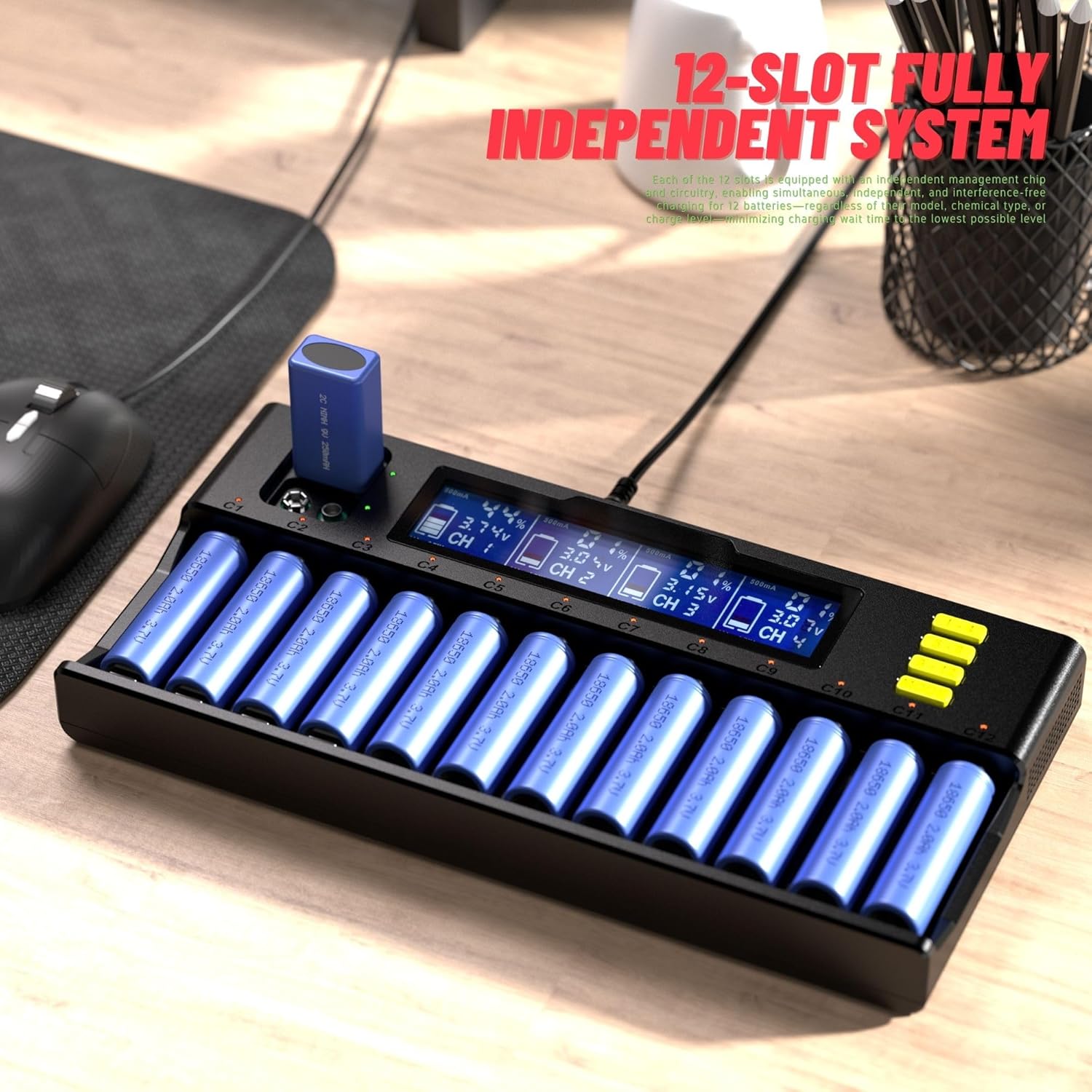
- Simultaneous Charging of Multiple Battery Types: A standout feature is the ability to charge multiple types of batteries at the same time, including 9V NiMH rechargeable batteries, offering greater flexibility and convenience
- Automatic Current Recognition: Automatically identifies and adjusts the charging current to 0.5A (for 12 cells inserted) or 1.0A (for only 6 cells inserted), optimizing charging efficiency
- Comprehensive LCD Display and LED Indicators: During charging, the LCD can display information such as battery type, charging current, battery voltage, and percentage. Each slot is equipped with red and green LED indicators for a clear display of charging status and completion
- Multiple Safety Protections and Automatic Identification: Equipped with multiple safety protections such as overcharge, overdischarge, short circuit, reverse connection, etc., and can intelligently and automatically identify defective batteries, ensuring charging safety. The system can automatically identify 3.70V lithium batteries and NiMH/NiCd (1.20V) batteries. Press the MODE button to manually select 3.20V lithium iron phosphate batteries and 3.80V lithium batteries (IMR), enhancing the charger's applicability and flexibility
| Brand | SQFOR |
|---|---|
| Manufacturer | SQFOR |
| Input Voltage | 12 Volts |
| Warranty Description | Follow FBA Rules |
| Item Dimensions D x W x H | 11.2"D x 5.5"W x 1.3"H |


Correction of product information
If you notice any omissions or errors in the product information on this page, please use the correction request form below.
Correction Request Form